
A meeting assistant that helps while people are still talking
Updated
MeetMi is a real-time AI meeting assistant for Mac and iPhone. While people are still talking, it posts short advice cards: a fact worth checking, a question to ask, a risk in what was just agreed, an action someone took on. It also keeps a running analysis and answers questions you type, and writes the notes when you end the meeting. No bot joins the call: MeetMi transcribes on your device, and cloud AI works on the text only after you accept the data notice.
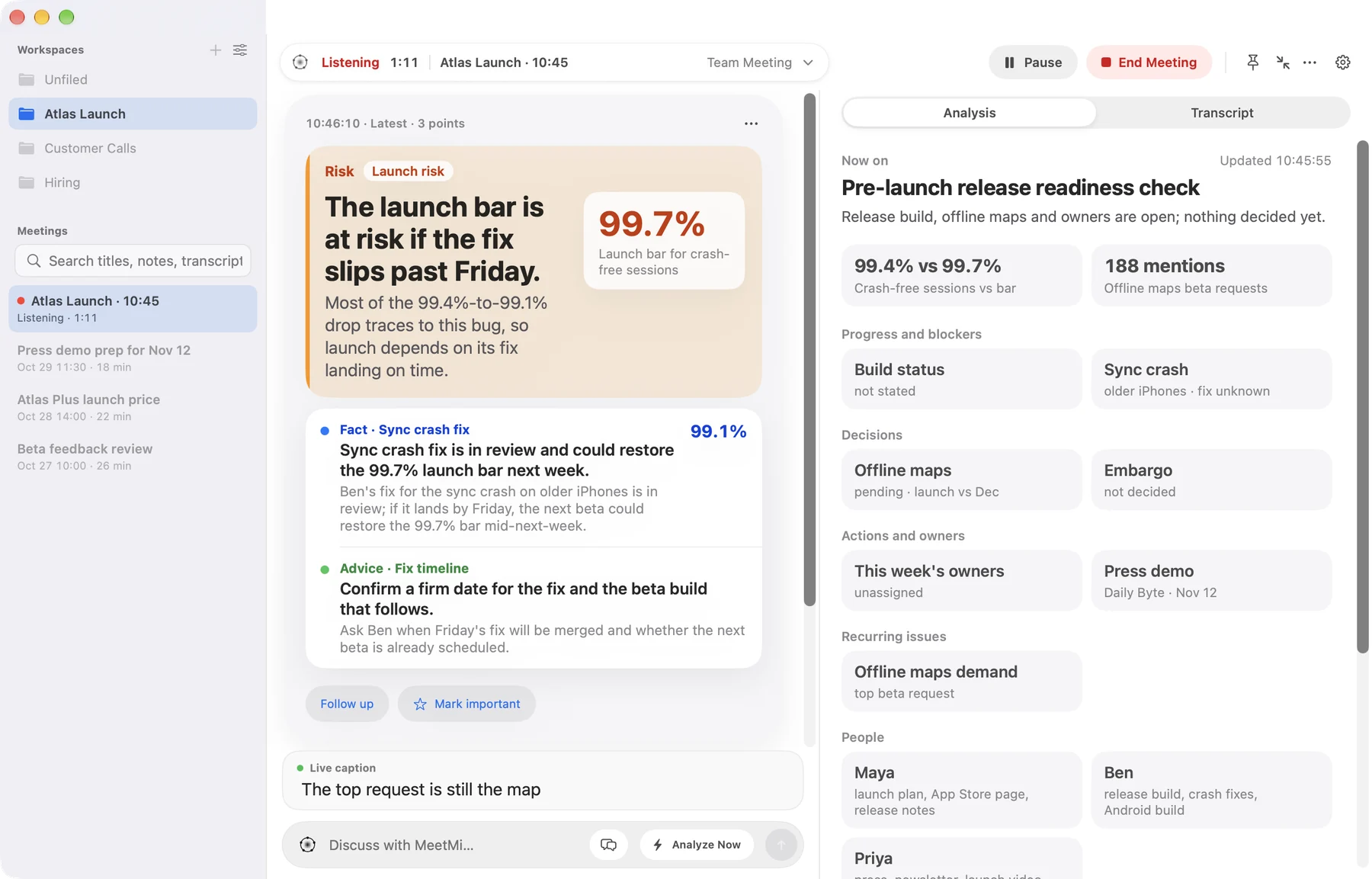
What does the advice look like?
Each card holds one to four short points, and each point is tagged Fact, Advice, Risk or Action, in the language you chose for MeetMi to write in. Cards come no more often than every 20 seconds by default, and only when there is something new to say.
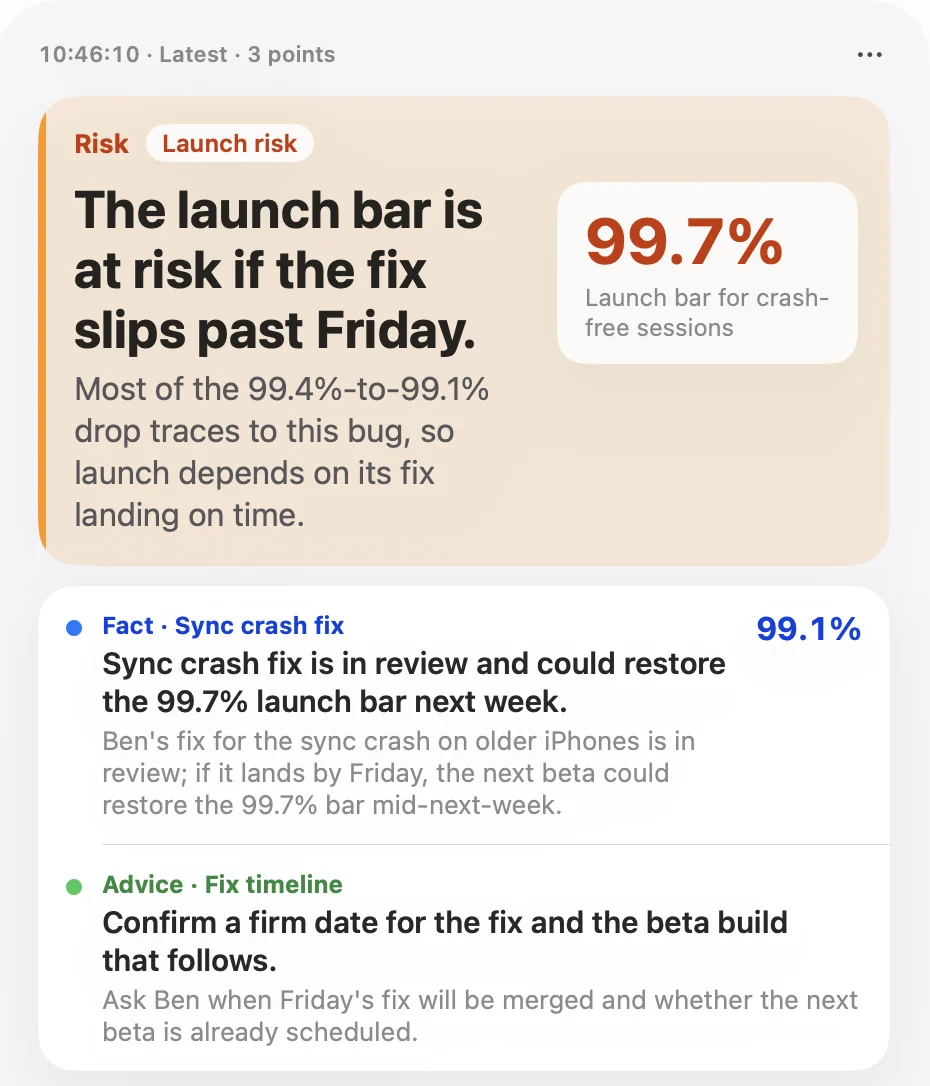
More detail: timing, quiet spells and the ⋯ menu
- How often. You can set the gap from 10 to 30 seconds. The gap is a minimum, not a schedule.
- When it stays quiet. MeetMi waits for enough new speech, and it is built to stay quiet when the latest stretch is only small talk, repetition or can’t be made out.
- On demand. To ask for advice now, press Analyze Now while the meeting is running: next to the question box on a Mac, or in Ask MeetMi on iPhone. On a Mac, the Analyze Now menu command (⇧⌘D) does the same.
- The ⋯ menu. Each card has a ⋯ menu to copy it, ask a follow-up about it, or mark it important.
- Switches. Live advice and background analysis each have their own switch, and both are on by default. On a Mac they are also in the capsule at the top of the window, as MeetMi Auto Advice and Deep Analysis.
What does it watch for in different meetings?
The meeting type you pick changes what the cards look out for. MeetMi has eight built-in types, plus Custom, where your own AGENTS.md sets the rules.
| Meeting type | What the live advice watches for |
|---|---|
| Team Meeting | Blockers and who needs to clear them, “I’ll do it” turned into an action item, an issue coming up a second time |
| Negotiation | Tactics such as anchoring, the other side contradicting what they said earlier, something you just said that commits you on price, timing or scope |
| Customer / Pre-sales | Exact figures from your material, each request sorted into supported, on roadmap or unsupported, over-promises such as custom work, early delivery or a special price |
| Town Hall | Decisions and dates announced, acronyms and project names explained, questions that were dodged, questions for the Q&A |
| One-on-One | Concern or hesitation, with a suggested response, and requests tracked as follow-ups |
| Retrospective | What happened kept apart from what people think caused it, improvements nobody has taken on, causes that keep coming back |
| Interview | A follow-up question when an answer is vague, and the criteria you haven’t covered yet. MeetMi is for the interviewer, and it won’t score or rank the candidate |
| Video / Lecture / Podcast | Terms explained, numbers and claims given without a source, leaps in logic |
More on each type in Ways to use MeetMi.
How does it know what matters to you?
Three things shape the advice besides the transcript: your AGENTS.md, your folder of material, and what you tell MeetMi to watch during the meeting.
More detail: AGENTS.md, your folder and focus notes
AGENTS.mdis your standing instruction, for example your limits in a negotiation. It goes with every card, and where it disagrees with the meeting type’s built-in instructions, it wins.- Your folder. Live advice doesn’t open your files itself. The background analysis checks your briefs, contracts or price lists, and the next cards use what it found. Keep Deep Analysis on if you want figures from your files to reach the cards.
- Focus notes. Once the meeting is running, tell MeetMi what to keep an eye on. For the rest of that meeting it carries this into live advice, the analysis and the notes.
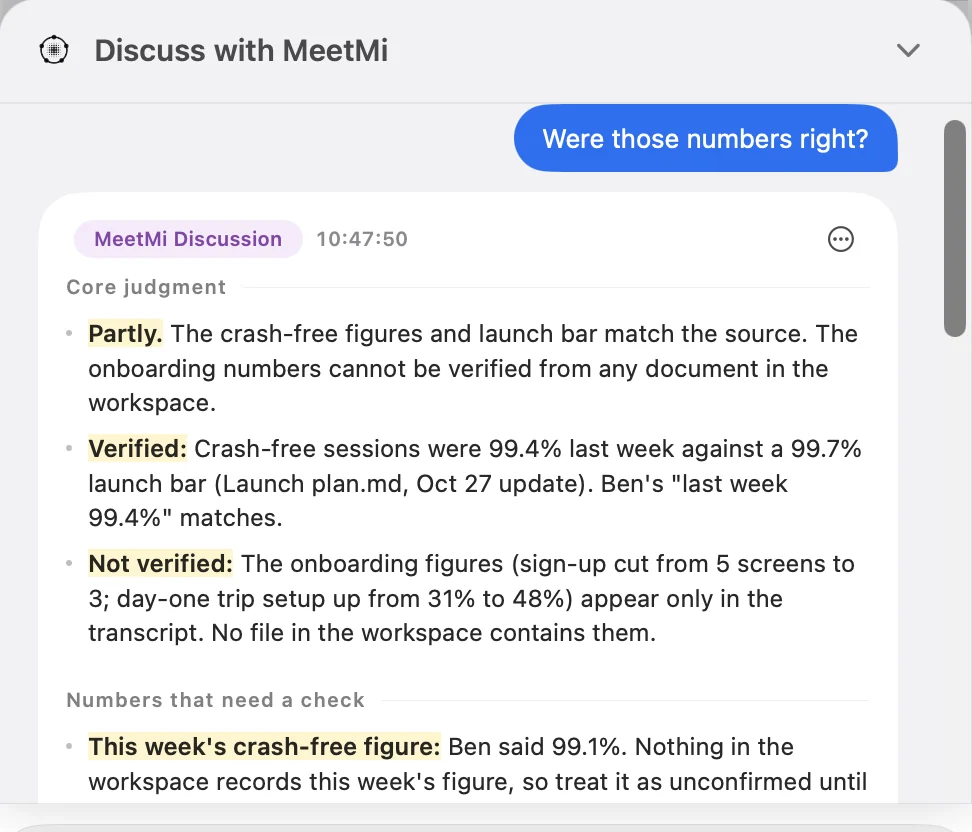
Can you ask it something during the meeting?
Yes. On a Mac, type into Discuss with MeetMi; on iPhone, tap Ask MeetMi. You can ask during the meeting and after it ends. It answers with the whole transcript so far and the latest analysis in view, and when your folder has material it usually checks the folder before answering.
Where does it work?
On a Mac, MeetMi hears whatever the Mac plays plus your microphone, so it works for online meetings, videos and talks. On iPhone, put the phone on the table for a meeting in the room.
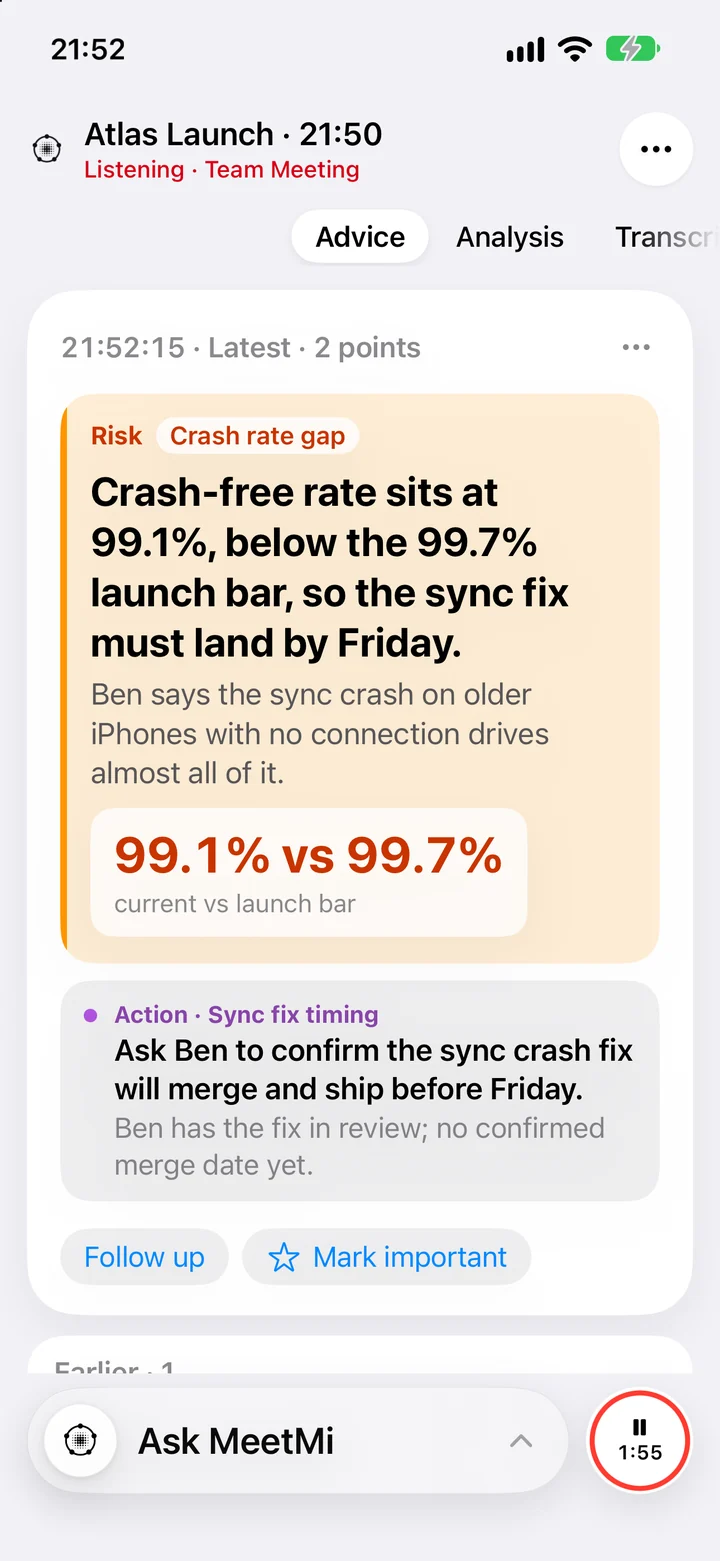
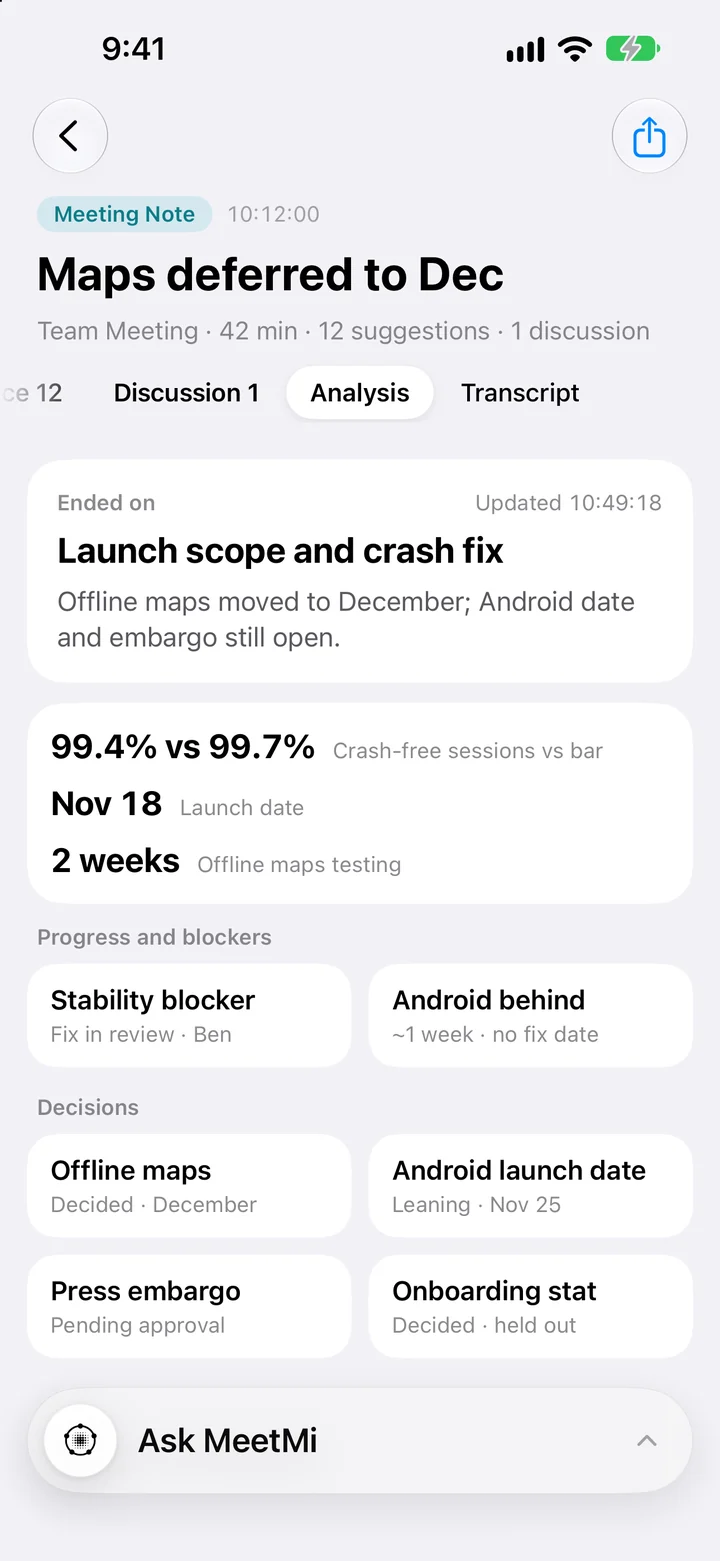
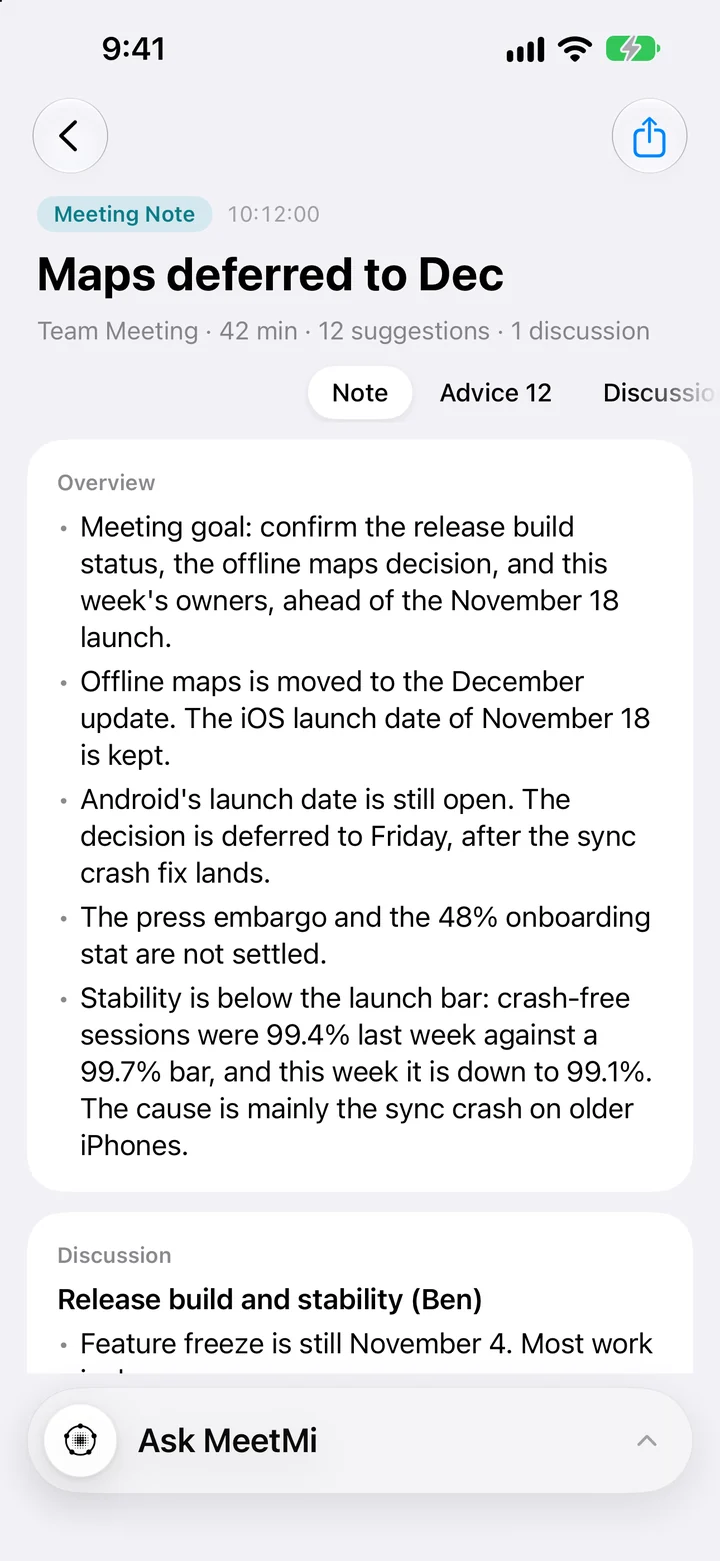
More detail: keeping the cards in view, and what iPhone can hear
On a Mac, switch to Compact Window with the advice showing and turn on Keep on Top, and the cards stay above your other windows while you talk. MeetMi keeps listening while another app is in front.
On iPhone the microphone is the default. On iOS 27, MeetMi can also transcribe what the phone itself plays, but it can’t hear calls. The Lock Screen and the Dynamic Island show keywords from the latest advice, and you can pause or resume from the Dynamic Island.
What it doesn’t do
- It doesn’t speak or type for you. The cards are for you to read; what you say stays your call.
- It doesn’t name speakers. Transcript lines are tagged Mic or System, by where the sound came from.
- It doesn’t search the web during the meeting. Live advice never searches. With your separate consent, the background analysis and your questions can.
- It doesn’t join the call, keep audio or need an account.
Rules on transcription differ by place and workplace, so tell the people you meet with that you’re using MeetMi when they require it.
What does it cost?
MeetMi is free to download, and transcription runs on your device without using credits. Live advice, analysis, answers and notes use AI credits: every Apple Account gets 250 free credits a week, shared by Mac and iPhone. The optional subscription comes in three plans, all with web search: Standard with 2,500 credits a month for $4.99, Pro with 6,000 for $9.99 and Max with 15,000 for $19.99, in the United States (the App Store shows your local price). When credits run out, the meeting keeps transcribing and the advice pauses until they reset. See pricing.
Advice during the meeting, or notes after it?
Most AI note takers are built around the notes you get when the meeting ends. MeetMi writes those too, but its main job is the time before that: the moment a number doesn’t match, a commitment slips out or a question goes unanswered. If you mostly want a tidy record afterwards, a notes-first tool may suit you better.
How MeetMi compares puts MeetMi next to Otter, Fireflies and Granola, and How MeetMi works walks through a meeting from Start to notes.